Ribbon mascotRibbon
DemoPricingShortcutsGuidesFAQsChangelog
Download
Ribbon mascotRibbon

A scrolling window manager for Mac. Windows sit on one strip: scroll instead of shrinking.

Support: [email protected]

  • Listed on MacPip
  • Featured on TryMacApps
  • Ribbon is featured on MacBase
  • Featured on DanielLaunches
  • Featured on CodeHype
  • Ribbon on DodoLaunch
  • Featured on PickMacApps
PricingDownloadShortcutsGuidesChangelogLicensePrivacyTermsRefunds

Compare

Ribbon vs yabaiRibbon vs AeroSpaceRibbon vs AmethystRibbon vs ChainYourMacRibbon vs OmniWM

Guides

4 way split screenAeroSpace alternativesAeroSpace on MacAeroSpace vs yabaiAmethyst alternativesBest Mac window managersBest scrolling window managersBetterSnapTool alternativesHow to use AeroSpaceHyprland for MacKeyboard shortcutsLoop alternativesMac tiling window managersMac window managersMacBook window managerMagnet alternativesMoom alternativesMultiple displaysNiri for MacOrganize windowsPaperWM for MacPrivacyRectangle alternativesScrolling window managersSplit screen on MacSplit screen optionsSplit screen shortcutStage Manager alternativesTrackpad gesturesTroubleshootingWhat a window manager isyabai with SIP onAll guides

© 2026 Ribbon · macOS 14+ · Apple siliconBuilt on top of Paneru

Guides

What Is a Window Manager on Mac

What is a window manager on Mac? Built-in controls, snapping apps, tiling window managers, and scrolling strips, in plain language.

Ask AI about this guide

OpenAIClaudeGrokPerplexityGoogle Gemini

What is a window manager on Mac? It is the software that decides where a window sits, and what happens when you open another one. macOS already overlaps windows. An extra app can snap one, tile all of them, or scroll them. The list of apps is the Mac window manager page, not this one.

What macOS already does

With nothing installed, a new window opens on top, usually at a size the app remembers. You drag it. ⌘⇥ switches apps. Mission Control (⌃↑) shows the pile. That is enough for one or two windows.

Four built-in tools go further:

  • Spaces are extra desktops, up to 16. ⌃← and ⌃→ move between them. A Space hides other projects. It does not tidy the windows inside one project.
  • Stage Manager keeps one app, or one group, in the centre and parks the rest as thumbnails. Turn it on from Control Center.
  • Split View puts two apps in a full-screen Space.
  • Window tiling, on macOS 15 and later, snaps a window to a half or a quarter on the normal desktop. It does not rearrange anything when you open a new window.

If one of those matches how you work, you do not need another app. How to organize windows on Mac starts from the mess. Split screen on a Mac is the choice between tiling and Split View.

Three kinds of app

Ask what a new window does.

Snapping. Nothing happens until you drag or press a key. Then that one window jumps. The others stay put.

Tiling. Windows do not overlap. Open one and the others shrink so they all fit.

Scrolling. Windows do not overlap, and they do not all have to fit. A new one does not resize the others.

Those three sentences are the definition. Which apps do which job is Mac window manager. How the strip feels is scrolling window manager macOS.
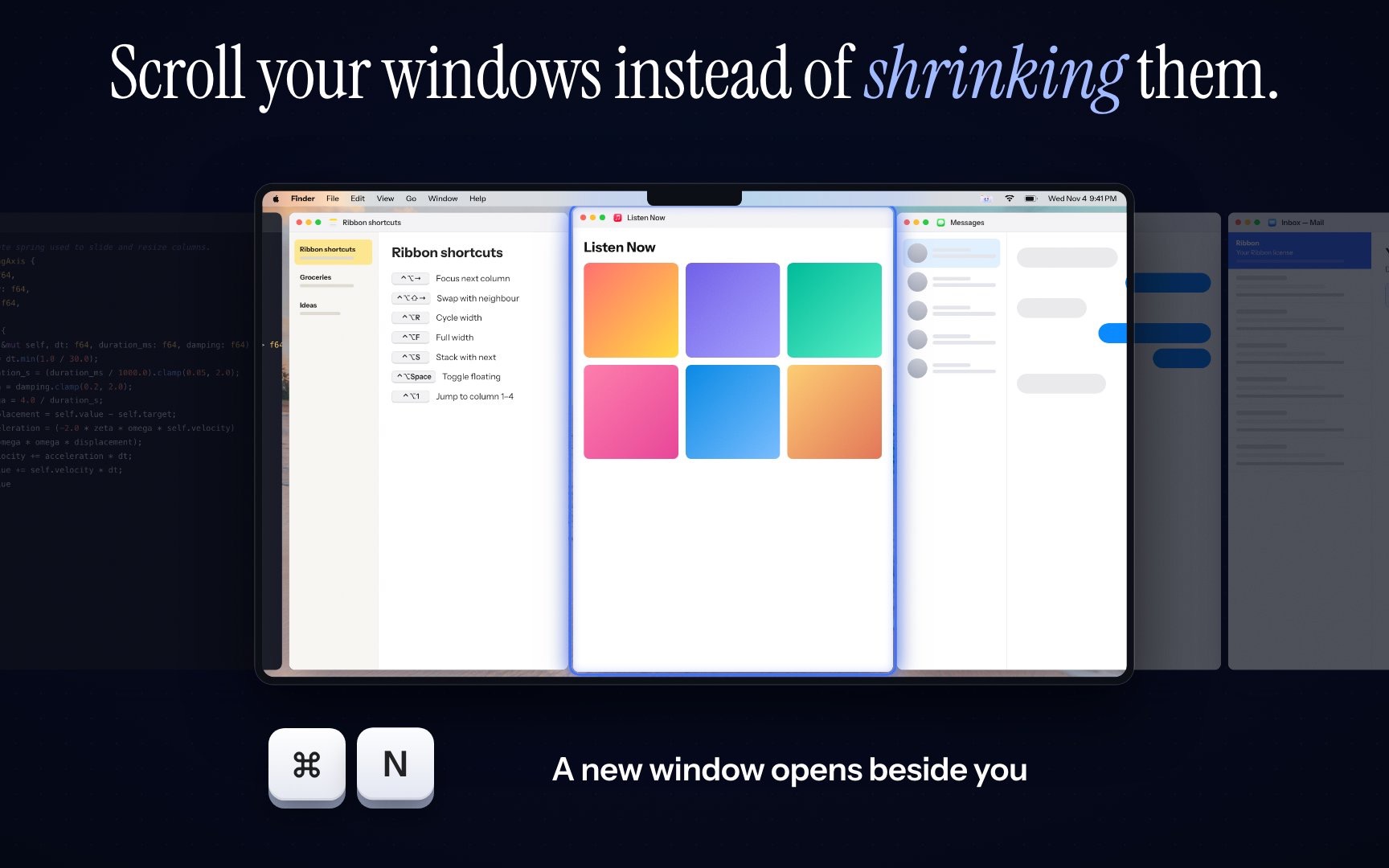
Columns on a Ribbon strip. The window in front stays wide, and the next app is partly off the right edge.

Ribbon is one scrolling example: Apple silicon, macOS 14 or later, $17 for one Mac, $39 for three, $59 for five. The apps in each group, and which to open next, are on Mac window manager.

Related guides

  • Mac Window Manager: Four Kinds
  • Scrolling Window Manager macOS: The Strip
  • How to Organize Windows on Mac

FAQs

Short answers for this guide. Setup and license links if you need the next step.

Ask AI about this guide

OpenAIClaudeGrokPerplexityGoogle Gemini

Can’t find what you’re looking for? See the Mac Setup page or write from the app’s About screen.

Yes. Windows overlap, Spaces add desktops, Stage Manager hides what you are not using, and macOS 15 can snap windows to halves and quarters. Extra apps replace those habits with a stricter rule.

Does macOS have a window manager already?
Yes. Windows overlap, Spaces add desktops, Stage Manager hides what you are not using, and macOS 15 can snap windows to halves and quarters. Extra apps replace those habits with a stricter rule.
What is the difference between snapping and tiling?
Snapping moves the one window you asked about. Tiling keeps every window on screen without overlap, and shrinks the others when you open a new one.
Is a scrolling window manager a window manager?
Yes. Windows still do not overlap, but they do not all have to fit, so opening one does not shrink the rest. The detail is on the scrolling window manager page.
Do Mac window managers need SIP off?
No, except some optional yabai features. The others move windows with the Accessibility permission and leave System Integrity Protection on.

Can’t find what you’re looking for? See the Mac Setup page.

All guides