Ribbon mascotRibbon
DemoPricingShortcutsGuidesFAQsChangelog
Download
Ribbon mascotRibbon

A scrolling window manager for Mac. Windows sit on one strip: scroll instead of shrinking.

Support: [email protected]

  • Listed on MacPip
  • Featured on TryMacApps
  • Ribbon is featured on MacBase
  • Featured on DanielLaunches
  • Featured on CodeHype
  • Ribbon on DodoLaunch
  • Featured on PickMacApps
PricingDownloadShortcutsGuidesChangelogLicensePrivacyTermsRefunds

Compare

Ribbon vs yabaiRibbon vs AeroSpaceRibbon vs AmethystRibbon vs ChainYourMacRibbon vs OmniWM

Guides

4 way split screenAeroSpace alternativesAeroSpace on MacAeroSpace vs yabaiAmethyst alternativesBest Mac window managersBest scrolling window managersBetterSnapTool alternativesHow to use AeroSpaceHyprland for MacKeyboard shortcutsLoop alternativesMac tiling window managersMac window managersMacBook window managerMagnet alternativesMoom alternativesMultiple displaysNiri for MacOrganize windowsPaperWM for MacPrivacyRectangle alternativesScrolling window managersSplit screen on MacSplit screen optionsSplit screen shortcutStage Manager alternativesTrackpad gesturesTroubleshootingWhat a window manager isyabai with SIP onAll guides

© 2026 Ribbon · macOS 14+ · Apple siliconBuilt on top of Paneru

Guides

Mac Window Manager: Four Kinds

A Mac window manager places windows for you. Built-in tools, snapping, tiling, and scrolling, and which guide to open next.

Ask AI about this guide

OpenAIClaudeGrokPerplexityGoogle Gemini

A Mac window manager is one of four options: built-in tools, a snapping app, a tiling app, or a scrolling app. They are not flavours of the same thing. A new window tells them apart. This page is the map of those options.

The definition, in one page, is what is a window manager on Mac. A ranked list is the best Mac window manager comparison.

Built into macOS

Spaces, Stage Manager, Split View and window tiling are already on the Mac. What each one is belongs on the definition page. Use them when you do not want another app. The options overview is split screen Mac. The steps are how to split screen on Mac. The keys are split screen Mac shortcut.

Snapping apps

A snapping app moves the one window you drag or key. Rectangle is the free one, with thirds and shortcuts that work on macOS 14. Magnet, BetterSnapTool, Loop, Moom and Rectangle Pro are the others. Moom and Rectangle Pro can save a layout and put it back when you plug in a monitor.

None of them react when a window opens. On macOS 15 and later, turn off either Apple's edge drag or the app's. Both listening to the same edge is how a window snaps twice.

Tiling

A tiling window manager fills the screen with the windows you have, and resizes them when the set changes. You keep each workspace sparse, or the tiles get thin.

  • AeroSpace is i3-style, with its own workspaces, a TOML file, and SIP left on. AeroSpace on Mac. Setup is how to use AeroSpace.
  • yabai tiles on real Spaces. Some extras need SIP partly off.
  • Amethyst cycles layouts from a preferences window.

The columns for SIP, Spaces and config are in Mac tiling window managers.

Scrolling

A scrolling window manager does not overlap windows, and it does not force them all on screen. Each window is a column. You scroll the row. Widths stay put. That is the one to look at when a laptop is the main screen and you keep a lot of apps open.

Ribbon is a scrolling window manager for Apple silicon on macOS 14 or later. One strip per display, inside normal Spaces. Option plus a two-finger scroll moves it. ⌘⌃2 and ⌘⌃4 build a temporary split or grid, and ⌘⌃\ returns to the strip. The price is $17 for one Mac, $39 for three and $59 for five.
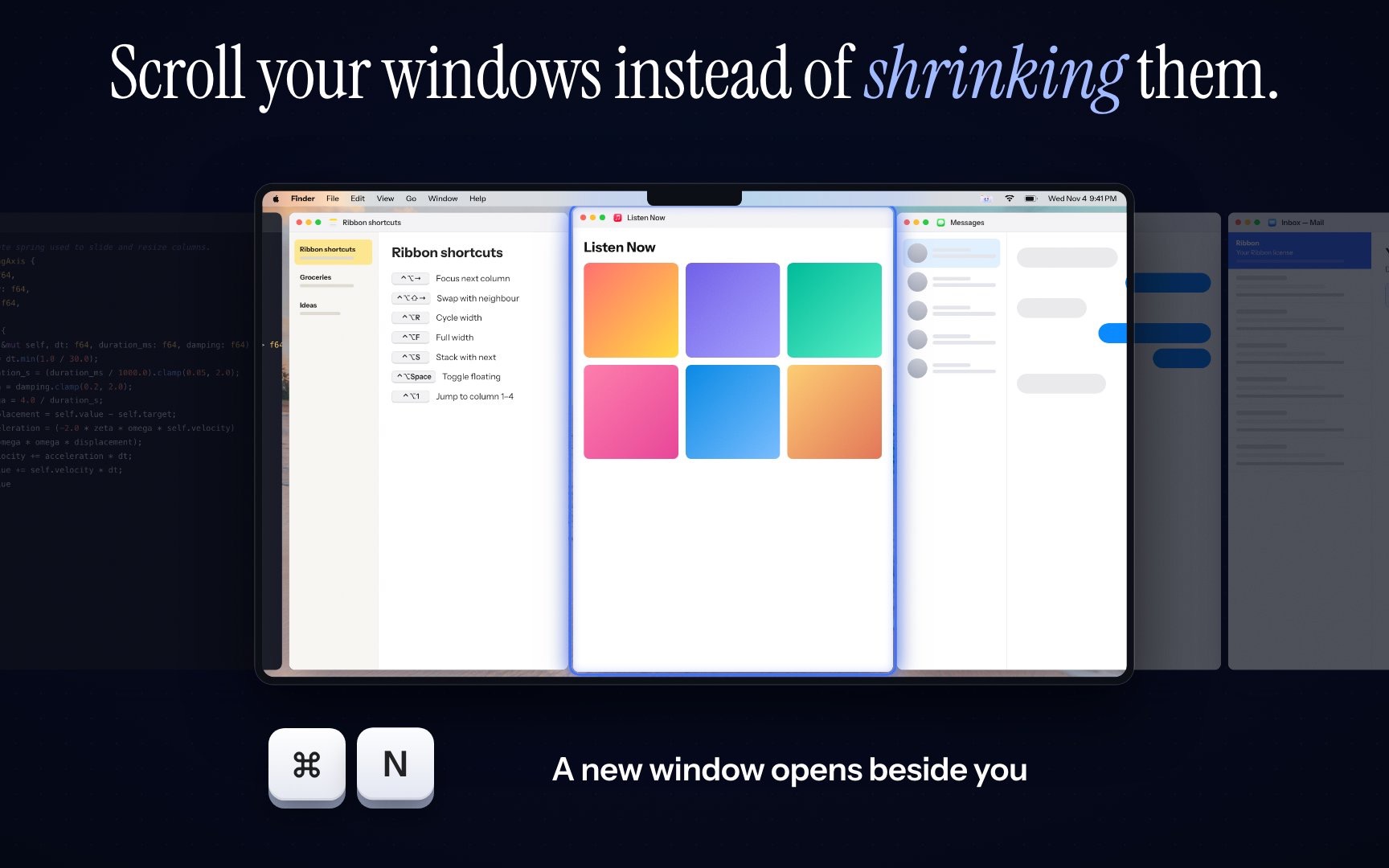
Ribbon windows side by side on a strip, with another window waiting off the right edge.

The model is what a scrolling window manager is. The other apps are in the scrolling comparison.

Run one window manager. Two of them move the same window and undo each other.

Related guides

  • Best Mac Window Manager (2026)
  • Tiling Window Manager Mac Compared
  • Scrolling Window Manager macOS: The Strip

FAQs

Short answers for this guide. Setup and license links if you need the next step.

Ask AI about this guide

OpenAIClaudeGrokPerplexityGoogle Gemini

Can’t find what you’re looking for? See the Mac Setup page or write from the app’s About screen.

Built-in controls, snapping apps that move one window when you ask, tiling apps that resize every window to fit, and scrolling apps that keep widths and extend past the screen.

What kinds of Mac window manager are there?
Built-in controls, snapping apps that move one window when you ask, tiling apps that resize every window to fit, and scrolling apps that keep widths and extend past the screen.
Is macOS window tiling a tiling window manager?
No. It snaps a window to a half or a quarter when you drag or press a key. It does not rearrange the desktop when you open or close a window.
Which Mac window manager should I start with?
If two windows are the whole job, use macOS tiling on macOS 15 or later. If many windows get too narrow, look at a scrolling strip. If you want every window visible on a large screen, look at a tiler.
Can I run two window managers?
No. They fight over the same windows. Quit one, and turn Stage Manager off, before you judge the other.

Can’t find what you’re looking for? See the Mac Setup page.

All guides